Direct RTSP live stream
Launch a live feed in mpv.net, PotPlayer, VLC, or FFplay with hardware acceleration and no command-prompt popups.
Desktop app for Tapo cameras on Windows
A modern Windows desktop app for playing live Tapo camera feeds and downloading recorded clips directly from a camera’s MicroSD card.
Looking for a Tapo app for a laptop or Windows PC? Tapo-Viewer connects to compatible cameras over home Wi‑Fi or LAN, keeping the workflow local rather than sending footage to third-party servers.
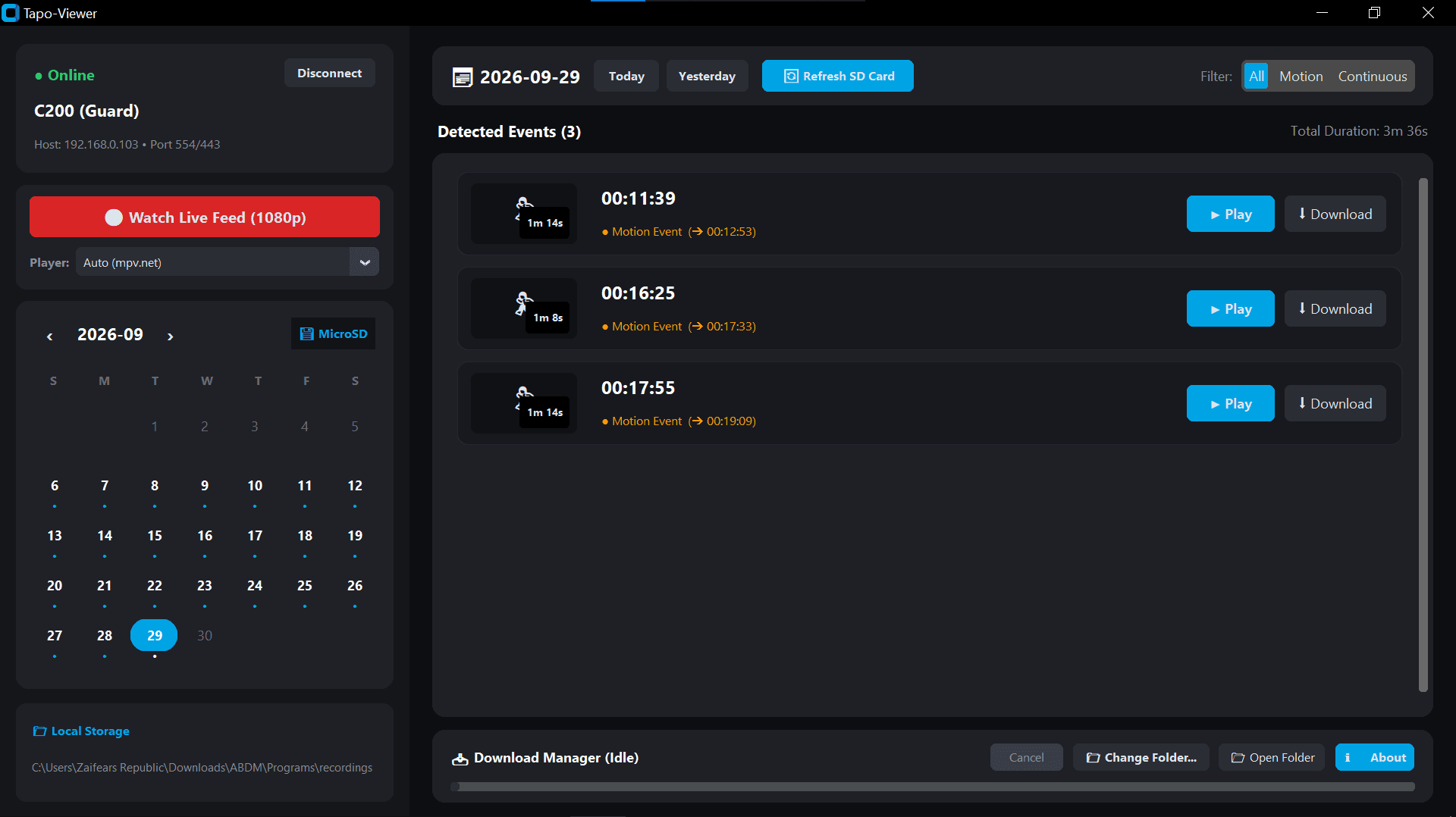
Open a live 1080p RTSP feed in your preferred desktop player.
Find recording dates and motion events without relying on Tapo Care storage.
Camera communication happens over the local network, without third-party servers.
Built for the desktop
Launch a live feed in mpv.net, PotPlayer, VLC, or FFplay with hardware acceleration and no command-prompt popups.
A custom calendar marks dates with recordings stored on the camera’s MicroSD card.
Browse a smooth scrolling list of motion-triggered and continuous-recording events.
Downloaded clips are remuxed to standard MP4 with AAC audio; a TS fallback is available when FFmpeg is not installed.
A persistent bottom bar shows progress and cancellation controls, while recordings can be saved to any drive, external disk, or network-share folder.
The app communicates directly with the camera over home Wi‑Fi/LAN, and credentials are not saved unless the save option is explicitly selected.
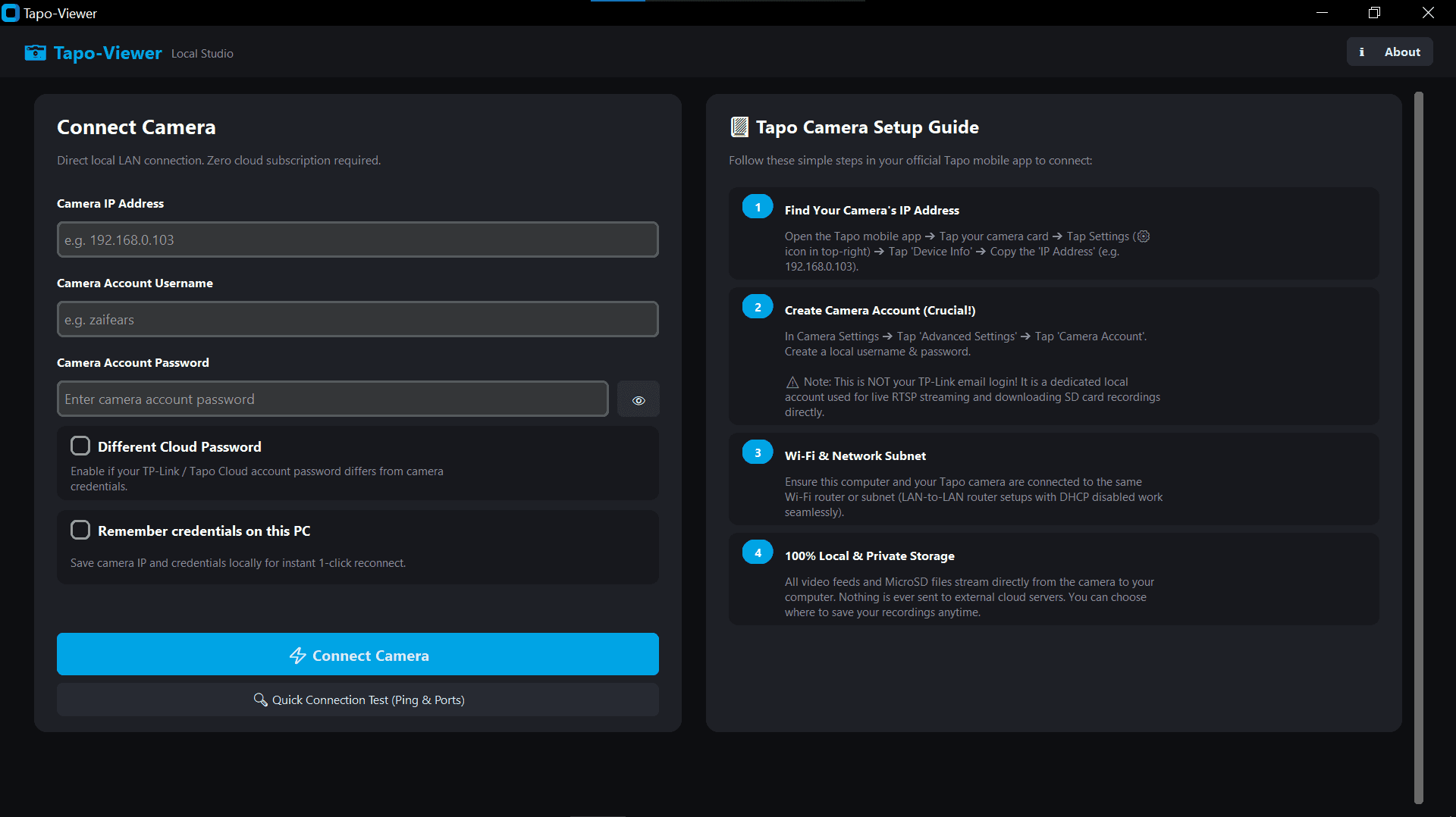
Connection setup
Enter camera credentials, choose whether cloud-password authentication is needed for MicroSD downloads, and select the media player to use for live streams. The interface is designed for standard 1366×768 laptop displays and high-DPI monitors, with F11 fullscreen support.
Supported devices
Tapo C100, C110, C200, C210, C220, C225, TC70
Tapo C310, C320WS, C325WB, C500, C510W, C520WS
Any current-firmware Tapo camera with local camera-account support.
Compatible cameras support local RTSP and ONVIF accounts.
Run from source
Clone the repository, then double-click run.bat. On the first run it creates a virtual environment, installs requirements, and launches the app.
git clone https://github.com/zaifears/tapo-viewer.git
cd tapo-viewer
# Double-click run.batTapo-Viewer FAQ
Tapo-Viewer is a Windows desktop app for compatible TP-Link Tapo cameras. It runs on 64-bit Windows 10 and Windows 11 and lets users launch live camera feeds in a desktop media player and browse recordings stored on a camera MicroSD card.
The standalone Tapo-Viewer.exe and ZIP archive are available from the project’s latest GitHub Release. The executable includes its dependencies and UI assets, so Python and terminal commands are not required to run it.
Yes. Tapo-Viewer uses an interactive recording calendar and a motion-event timeline to browse compatible camera MicroSD recordings, then downloads motion events and continuous recordings to the computer. It remuxes clips to MP4 with AAC audio when FFmpeg is available.
No. The app communicates directly with the camera over home Wi-Fi or LAN. Credentials are not saved unless the user explicitly selects the save option.
Tapo-Viewer relies on the open-source PyTapo library, which enables local camera authentication, recording-date and motion-event queries from the internal MicroSD card, and direct media downloads at Wi‑Fi speed without an active internet connection.
Explore PyTapo